
Included in Free
Read the receipt.
Apple Vision reads the text from your receipt image, right on your device.
01 / Apple VisionMeet version 2.0 / Coming soon
Scan the receipt. Understand the spending. Get back to your business.
Your expense admin, together in one app. With AI that works right on your iPhone or iPad, keeping your financial life private.
For independent professionals and small businesses.

Built for the business
you run yourself.
From receipt to ready
From your first coffee receipt to your month-end report, give every expense a place and a next step.
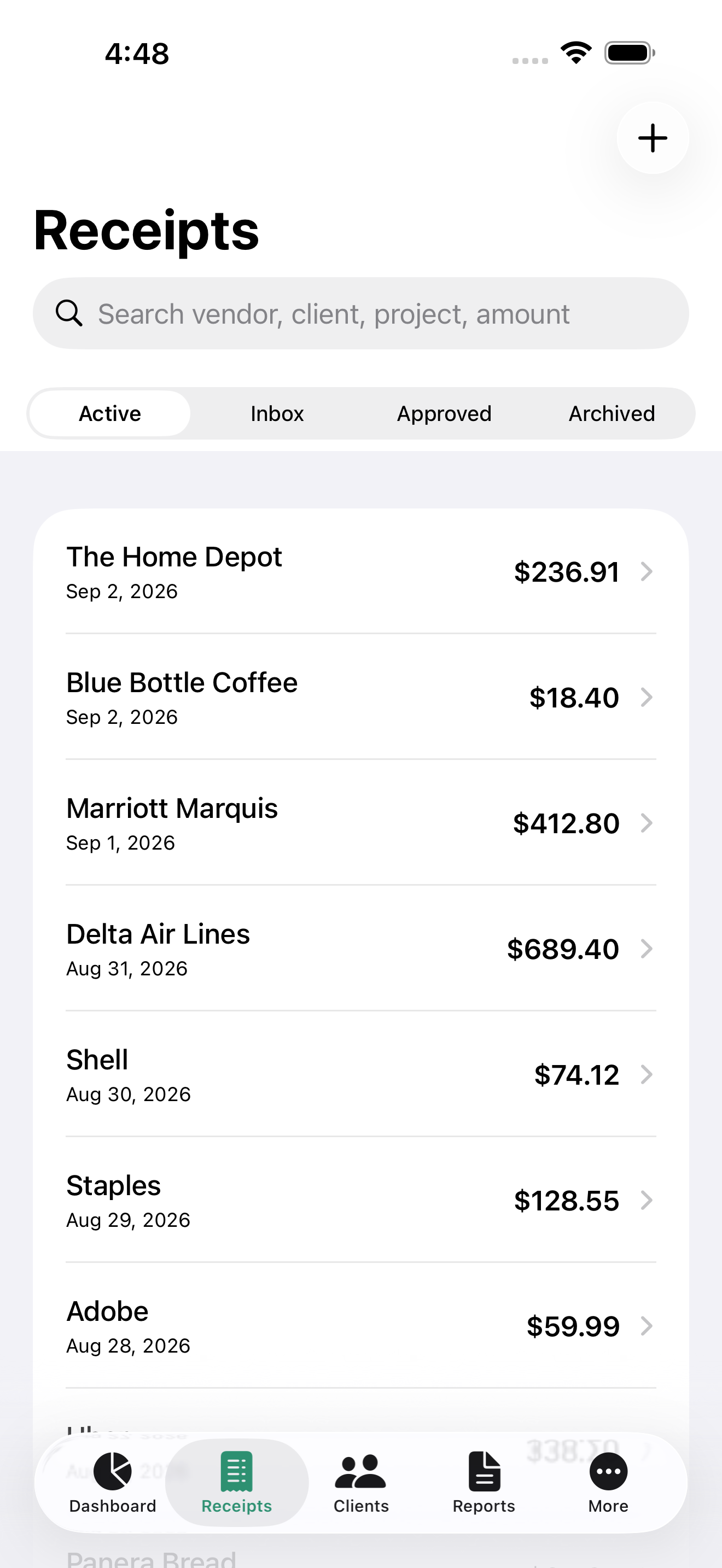
Find a receipt by vendor, client, project, or amount.
Real AI. Right on your device.
Less typing. Clearer answers. Your receipts and questions stay out of cloud AI services.
Apple Vision reads the text from your receipt image, right on your device.
01 / Apple VisionApple Intelligence pulls out vendor, amount, tax, and date on supported devices. Review the details, then save.
02 / Apple Foundation ModelsDownload Gemma 3 4B to read receipt images directly on a compatible device. About 2.5 GB, then inference runs locally.
03 / Gemma 3 4B via MLXApple Intelligence availability depends on your device, language, and settings. Without it, receipt scanning uses an on-device rules-based parser. Category “smart fix” suggestions use keywords.
Vega never receives your receipts or AI questions. Optional Pro iCloud sync uses your private Apple iCloud database. Downloading Gemma connects to Hugging Face to fetch model files, not to send your receipts.
Meet Ask AI Pro
Ask about this month’s spending, your largest expenses, or unpaid reimbursements, without sending your financial data to a cloud chatbot.
Ask AI works with a summary of recent spending and reimbursement activity. A clearer view of the business you’re running, without another spreadsheet.
See what’s included in ProRequires a supported on-device AI model. AI can make mistakes; check answers against your records.
Try an example · Sample expenses, scripted answers
Your spending this month totals $1,120.60, across 3 example receipts.
Example only. Your answers depend on your saved expenses.
Made for your working day
Stay organized between jobs, client visits, and everything else on your calendar.
Organize by client, project, account, and category. Keep the records you need close at hand.
All 13 PDF report types are included in Free. Pro adds CSV export for supported reports.
With Pro, choose iCloud sync across your Apple devices and keep an eye on expenses with widgets.
A plan for your pace
Private scanning comes with Free. Pro gives a growing business more room, more answers, and more ways to work.
Planned pricing for the 2.0 launch · USD$0/ month
Build a better receipt habit.
Get Free launch updatesThe essentials, included
$39.99/ year
About $3.33/month, billed yearly.
Everything in Free, plus
Subscriptions will be purchased in the app through Apple and renew automatically until canceled. Planned prices are $4.99/month or $39.99/year. Final pricing and availability will be shown in the App Store. Annual savings compare $39.99 with 12 monthly payments of $4.99. Subscription terms.
Version 2.0 is coming soon. The capabilities and plans on this page describe the rebuilt app. Request a launch update to hear when it’s available.
No. Free includes on-device receipt scanning, up to 25 receipts per month, 3 clients, 3 projects, and all 13 PDF report types. Apple Intelligence extraction is included on supported devices. Ask AI chat and the optional Gemma model are Pro features.
No. Receipt scanning and AI inference run on your device. Your receipt images, extracted text, and Ask AI questions are not sent to a cloud AI service. If you enable Pro iCloud sync, app data syncs through Apple to your private iCloud database. Exports are shared only when you choose to share them.
The 2.0 app requires iOS 26 or iPadOS 26. Apple Vision still reads receipt text, and an on-device rules-based parser handles extraction when Apple Intelligence is unavailable. Pro alone does not make a device compatible with Apple Intelligence or a local AI model.
No. Gemma 3 4B is an optional Pro download of about 2.5 GB for compatible devices. Downloading it connects to Hugging Face, which receives normal request information such as your IP address. Your receipts and AI questions are not part of the download. Afterward, the model runs locally.
Yes. Subscriptions will be managed through your Apple account. You can cancel renewal in Apple’s subscription settings. There is no separate website checkout. Read the subscription terms for details.
Your next chapter in expense tracking
ExpenseOnTheGo 2.0 is coming to iPhone and iPad.
Be first to hear when Free and Pro are ready.
Opens your email app. Send the message
to request a launch update.
ExpenseOnTheGo began with a simple idea: keep your receipts together wherever work takes you. Version 2.0 builds on that idea with private AI and a complete expense workflow. This video shows the original app, not version 2.0.